Migrating from Jekyll Minimal Mistakes theme to Chirpy

This site was originally built with the Minimal Mistakes Jekyll theme, still available here. After several years, I have migrated to Chirpy, a more modern and feature-rich theme.
Why Chirpy
- Modern UI with dark/light mode toggle, responsive sidebar navigation, and clean typography
- Built-in TOC (table of contents) with smooth scrolling and active heading tracking
- Native Mermaid support: was able to drop
jekyll-spaceshipdependency
Customizations
Jekyll allows overriding theme defaults by placing files in the same paths as the theme gem. These are the customizations I applied on top of Chirpy.
Custom home page
The default Chirpy home page shows a paginated list of posts. I replaced it with a custom layout (_layouts/home.html) that adds:
- A year summary table at the top with post counts per year
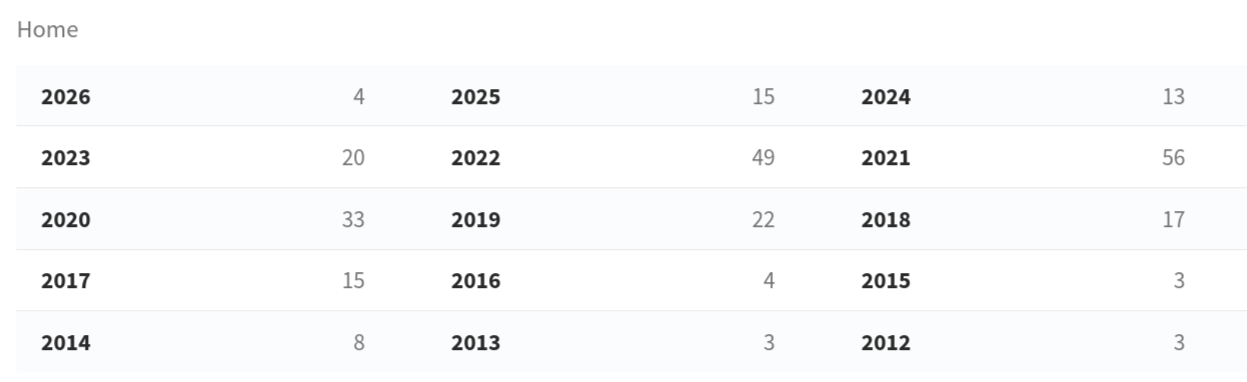
- Year headers that separate posts chronologically and are linked from the summary table

remote_include plugin
The site imports README files from GitHub repositories using a custom {% remote_include %} Liquid tag. The original jekyll-remote-include gem is archived and does not support relative paths.
The drop-in replacement (_plugins/remote_include_rewrite.rb):
- Fetches raw markdown from GitHub
- Strips the first
# Titleheading from the imported content to avoid duplication with the post’s frontmatter title - Rewrites relative image paths to raw.githubusercontent.com URLs so images render correctly
- Rewrites relative links to GitHub blob URLs so they point to the source repository
- Escapes false reference link definitions (e.g.,
[Feature request]: text) that Kramdown would otherwise swallow
octocat_emoji plugin
The _plugins/octocat_emoji.rb plugin adds:

- Frontmatter
image_linksupport — replaces the default preview image lightbox with a custom URL - Removes the
popupclass from shields.io and visitor-badge links to prevent centering/lightbox behavior
CSS and JS tweaks
All visual tweaks live in _includes/metadata-hook.html:
- Prevent preview image stretching — keep banner images at their original aspect ratio
- Disable avatar zoom on hover — removes the CSS scale transform
- Expand TOC by default — overrides
.is-collapsedwithmax-height: 1000px !important - Extend TOC to h5/h6 — re-initializes tocbot with
headingSelector: 'h2, h3, h4, h5, h6'after a 500ms delay (Chirpy only supports h2–h4 by default) - Bold h5/h6 headings in post content
shields.io badges
Replaced all GitHub button iframes (watch, star, fork, follow) with shields.io badges using ?style=social. The badges are SVG-based and dynamically size to fit the count digits, unlike the fixed-width iframes.