Importing alarms from OpenStack Aodh into Sensu Core
Tool for importing OpenStack Aodh alarms into Sensu Core for unified monitoring
Importing alarms from OpenStack Aodh into Sensu Core









Imports OpenStack Aodh alarms into Sensu Core Server.
Install
Via requirements file
1
$ pip3 install -r ./requirements.txt
Via pipenv pipfile
1
$ pipenv install
Use
1
2
3
4
5
6
7
Usage: aodh2sensu.py [options]

Imports OpenStack Aodh alarms into Sensu Core Server.

Options:
  -h, --help            show this help message and exit
  --sensu-url URL       if not specified, defaults to localhost:4567
Run the
aodh2sensuproxy.sensu_urlmust point to the sensu server. The proxy must be run in a server reachable from OpenStack controllers and with access to the Sensu Server (for example, the Sensu Server itself).1
$ ./aodh2sensu.py
or alternatively via pipenv:
1
2
 $ pipenv shell
 $ ./aodh2sensu.py
- Create an Aodh alarm from OpenStack side. This example alarm will trigger an HTTP POST message to the
aodh2sensuproxy whenever the cpu utilization of$INSTANCE_IDgoes above 20%:1 2 3 4 5 6 7 8 9 10 11 12 13 14 15
$ openstack alarm create \ --name cpu_hi4 \ --type gnocchi_resources_threshold \ --description 'CPU High Average' \ --metric cpu_util \ --threshold 20.0 \ --comparison-operator gt \ --aggregation-method mean \ --granularity 300 \ --evaluation-periods 1 \ --resource-type instance \ --resource-id $INSTANCE_ID \ --alarm-action 'http://x.y.z.w:50000' \ --ok-action 'http://x.y.z.w:50000' \ --insufficient-data-action 'http://x.y.z.w:50000'
where
x.y.z.wis the IP address of the server runningaodh2sensuproxy. - Confirm the alarm transitions from
insufficient_datastate tookstate:1 2 3 4 5 6
$ openstack alarm list +--------------------------------------+--------------------------------------------+----------------+-------------------+----------+---------+ | alarm_id | type | name | state | severity | enabled | +--------------------------------------+--------------------------------------------+----------------+-------------------+----------+---------+ | c466d832-cfce-4488-9726-c631800a36b1 | gnocchi_resources_threshold | cpu_hi4 | ok | low | True | +--------------------------------------+--------------------------------------------+----------------+-------------------+----------+---------+
- Generate load in the instance above the 20% threeshold, and wait for the alarm to transitition to
alarmstate:1 2 3 4 5 6
$ openstack alarm list +--------------------------------------+--------------------------------------------+----------------+-------------------+----------+---------+ | alarm_id | type | name | state | severity | enabled | +--------------------------------------+--------------------------------------------+----------------+-------------------+----------+---------+ | c466d832-cfce-4488-9726-c631800a36b1 | gnocchi_resources_threshold | cpu_hi4 | alarm | low | True | +--------------------------------------+--------------------------------------------+----------------+-------------------+----------+---------+
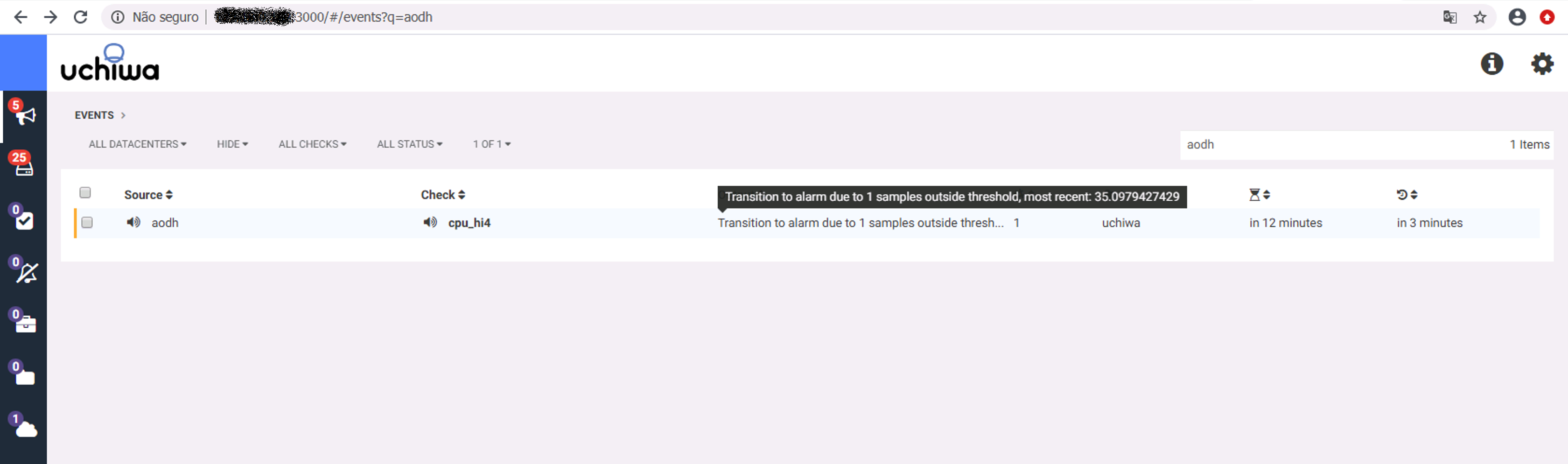
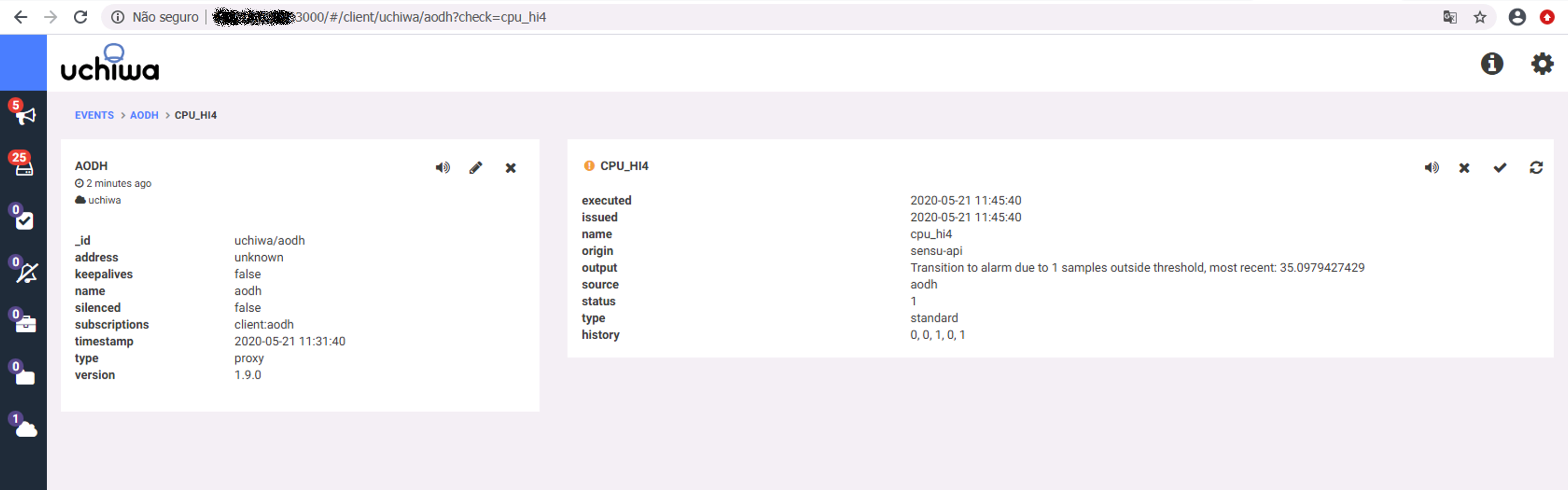
Check the alarm from the Uchiwa dashboard:
- Stop the load generation in the instance, wait for the alarm to transition back to
okstate:1 2 3 4 5 6
$ openstack alarm list +--------------------------------------+--------------------------------------------+----------------+-------------------+----------+---------+ | alarm_id | type | name | state | severity | enabled | +--------------------------------------+--------------------------------------------+----------------+-------------------+----------+---------+ | c466d832-cfce-4488-9726-c631800a36b1 | gnocchi_resources_threshold | cpu_hi4 | ok | low | True | +--------------------------------------+--------------------------------------------+----------------+-------------------+----------+---------+
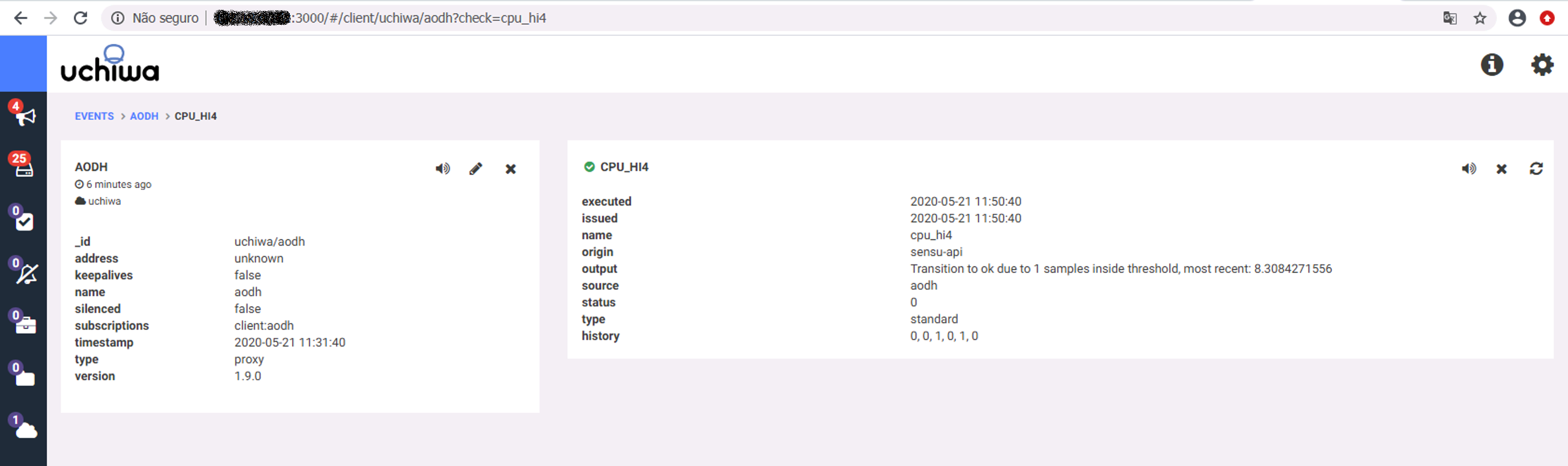
Check the new state of the sensu alert:
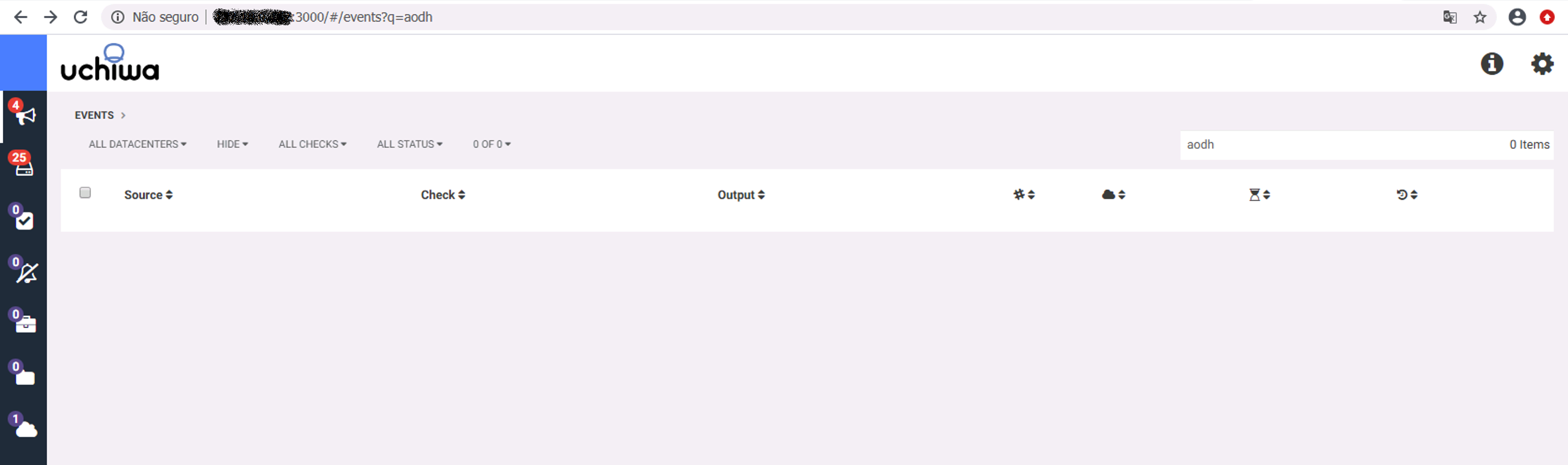
- Confirm it has disappeared from the list of active alerts:
Docker
To build the image:
1
$ buildah build-using-dockerfile -t aodh2sensu .
To run the image:
1
$ podman run --name aodh2sensu --add-host="localhost:10.88.0.1" -d -p 50000:50000 aodh2sensu
Pointing to a specific Sensu Server URL:
1
$ podman run --name aodh2sensu --add-host="localhost:10.88.0.1" -d -p 50000:50000 -e SENSU_URL=x.y.z.w:p aodh2sensu
Check logs:
1
$ podman logs aodh2sensu
Systemd
To run aodh2sensu as a systemd service.
Normal
1
2
3
4
5
6
7
8
9
10
# cat /usr/lib/systemd/system/aodh2sensu.service
[Unit]
Description=aodh2sensu service

[Service]
Type=simple
ExecStart=/opt/aodh2sensu/aodh2sensu.py

[Install]
WantedBy=multi-user.target
Docker
1
2
3
4
5
6
7
8
9
10
11
12
13
14
15
# cat ~/.config/systemd/user/aodh2sensu.service
[Unit]
Description=aodh2sensu service via podman

[Service]
Restart=on-failure
ExecStartPre=/usr/bin/rm -f /%t/%n-pid /%t/%n-cid
ExecStart=/usr/bin/podman run --conmon-pidfile  /%t/%n-pid  --cidfile /%t/%n-cid --add-host="localhost:10.88.0.1" -d --name aodh2sensu -p 50000:50000 aodh2sensu
ExecStop=/usr/bin/sh -c "/usr/bin/podman rm -f `cat /%t/%n-cid`"
KillMode=none
Type=forking
PIDFile=/%t/%n-pid

[Install]
WantedBy=multi-user.target

This post is licensed under CC BY 4.0 by the author.